
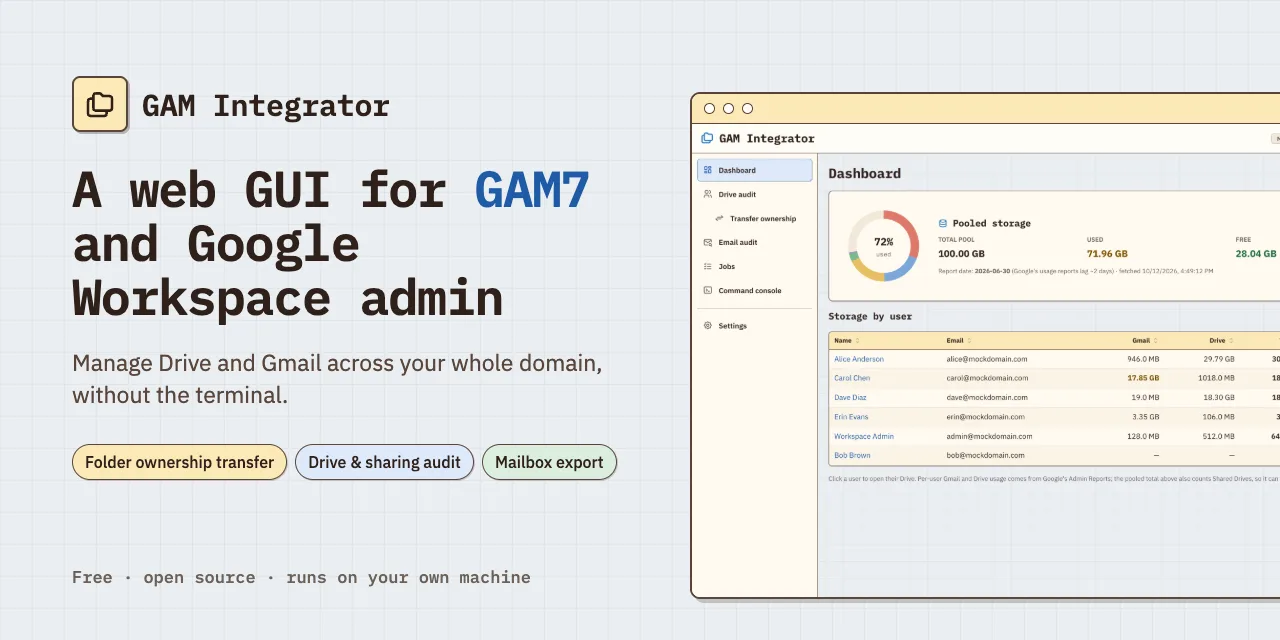
While managing a team on Google Workspace, I kept getting the same email: we were nearing our pooled storage limit. The email warning never said whose files were filling it, what the large data hogs were, and Google Console had a weak visualization of storage usage across multiple accounts. Additionally, there was no straightforward way to audit the contents of a user's Drive, even if I was the super admin and owner of the Google Workspace.
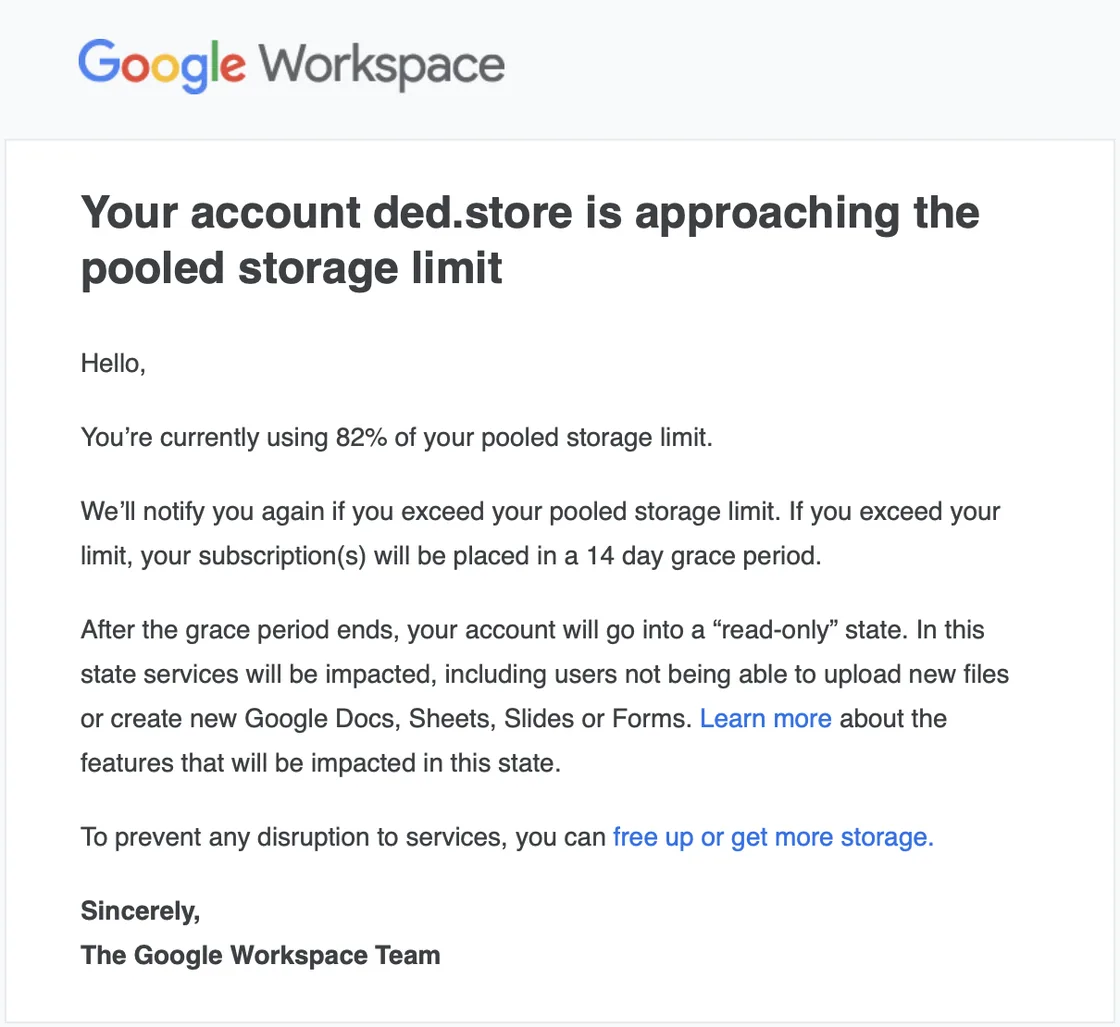
Running out of space, with no way to see the data bloat
Our whole team shares one pool of storage on Google Workspace. It would be helpful to see what files are taking up the most space in order to delete or transfer ownership. Additionally, when an employee leaves the organization, their email has to be properly archived for reference and their Drive files need to be properly migrated. Our workspace had 10+ accounts that needed cleanup, with data storage of up to a terabyte that needed migration.
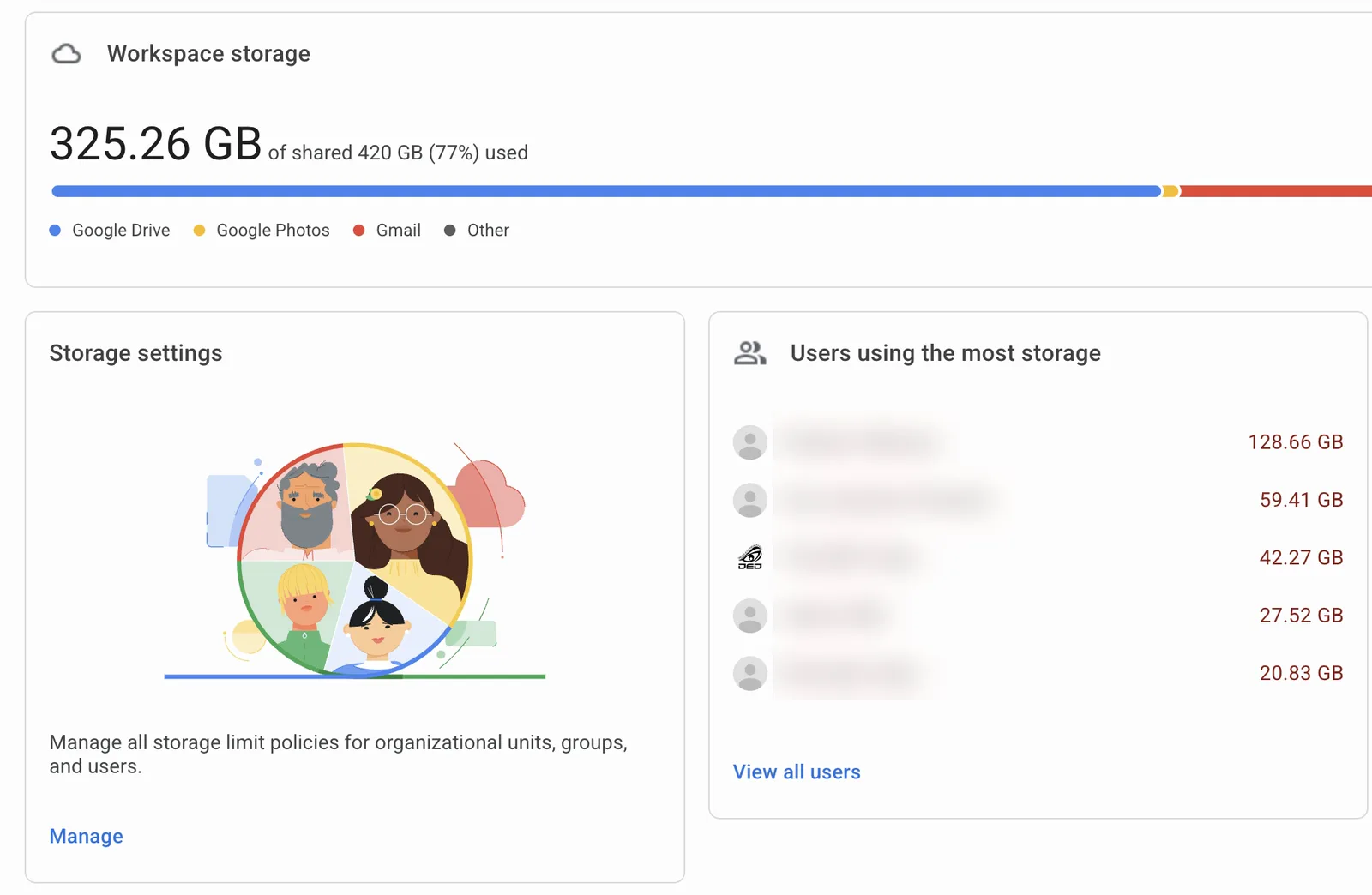
Google's Admin console sends an automated email warning about pooled storage limits, but the tool to manage it is weak. From the admin.google.com console, there's no way to open a user's Drive and see what files are taking up space. We can transfer a departing user's files, but we have no granular control over all the contents of a Drive. Additionally, transferring ownership of a folder does not necessarily transfer the ownership of all the files within said folder since they may be owned by other users. So a "transferred" folder can still be full of files owned by other people.
GAM is an open-source command-line tool that admins can use for more powerful edits and transformation. But it can be cumbersome and complicated, and it is also limited in terms of being able to fully transfer ownership of all the contents within a specified folder.
Building the tool I needed
I'm not a software engineer, but I love using the newest tech tools. I saw a problem and used agentic coding with Claude Code to build a solution. I saw that GAM was limited and could benefit from a stronger GUI, so I designed a tool that could fix it.
START WITH WHAT'S FILLING THE STORAGE
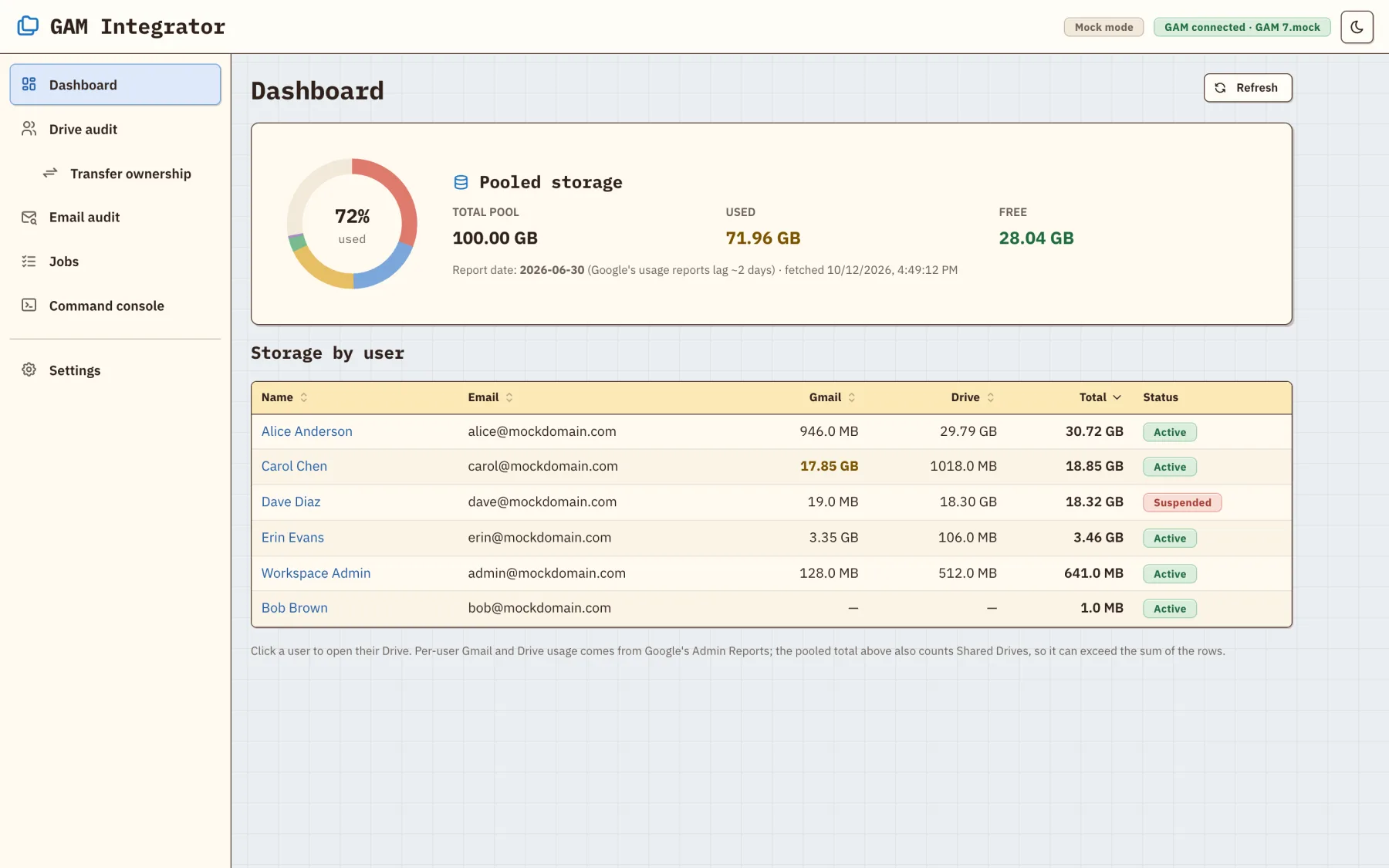
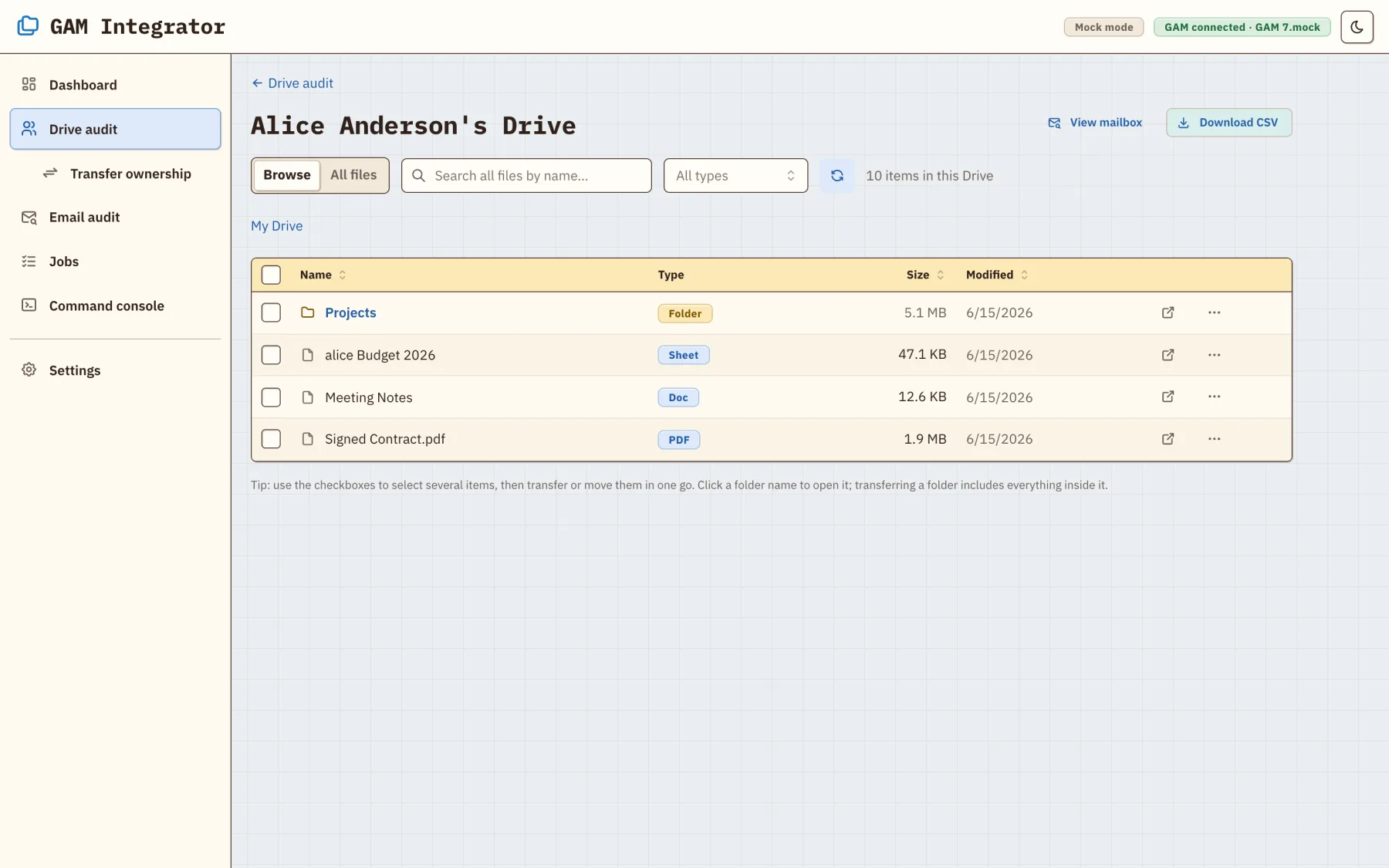
The GAM Integrator dashboard shows storage per user. From there I can open any user's Drive, filter by file type to find the large files, see who each file is shared with, and export the results to a CSV.
MAKE THE TRANSFER INCLUDE ALL THE CONTENTS
The tool can enter and walk down the entire folder tree and transfer every file and subfolder to a new owner, as long as they're in the same Google Workspace. A deep scan can also find files that were never properly shared with the target new owner.
SHOW THE PLAN BEFORE ANYTHING MOVES
An ownership transfer is hard to undo, so the tool previews first and asks to confirm:
- Pick the folder and the new owner.
- Review a dry run: how many items each current owner has.
- Confirm by typing the folder's name.
- Watch live progress, and cancel at any point.
ARCHIVE A USER AND KEEP THE EMAIL AS A RECORD
We also needed to archive users but still retain a history of their emails. Any user's mailbox can be browsed, searched, and exported as a lossless archive.
MAKE IT SAFE FOR A NON-EXPERT TO RUN
GAM's setup is where most people give up, so a guided wizard installs it and explains each Google permission in plain English. A tool like this can act on the whole domain, so it runs only on a local machine. A built-in sample domain lets anyone try every feature safely.
UNDER THE HOODThe stack, the ownership transfer, security, the build log and data
- Stack: a TypeScript app. React, Vite, and Mantine in the browser, with a live terminal (xterm.js). A small local Node.js/Express server with WebSockets drives GAM7 (node-pty). Tested with Vitest.
- Ownership transfer: Drive ownership is per file, not per folder, so the tool lists the whole tree with each item's current owner, groups the items by owner for the dry run, and transfers them one by one with live progress.
- Security: the server listens only on 127.0.0.1 and rejects cross-origin and DNS-rebinding requests. GAM runs as a direct program call with fixed arguments, never through a shell. The console accepts a single
gamcommand and asks before destructive ones. - Build log: about 3½ months (2026-07-01 → 2026-10-12), 20+ working sessions, 11 planned features (10 shipped, 1 dropped), 101 commits. Built with Claude Code on three Claude models (Fable 5, Opus 4.8, Opus 5.5). In the 18 sessions with exact counts, my 67 prompts directed about 3,500 agent actions.
- Data: GAM's credentials stay where GAM keeps them. The app's cache and exports live in
~/.gam-integrator/and can be reviewed and deleted in Settings.
What changed
The storage warnings stopped. With the tool, I was able to audit our Google Workspace and the individual Drives of users. I was able to delete what we didn't need, consolidate our current files, and migrate long-term files off Google Drive. I'm now able to monitor our pooled storage, prevent future data bloat, and manage our team email archives. I'm able to quickly audit Drive and Mail usage, as well as offboard departing users. After using this tool for only a few days, I was able to consolidate about a terabyte of data and safely offload 10+ user accounts.
On 2026-10-12 I released it for free, so any Workspace admin can use it.
Looking back
This one came out of real work and business needs. I kept running into pooled storage limit problems and Google's offered tools were limited in either their scope or ease of use. I saw the power of GAM as a command-line utility, and realized the opportunity for a clean frontend. Building for a real problem made the development relatively quick.
This showed me that there are still gaps in legacy tools and opportunities to build on top of them. GAM has been around for years, and it's powerful. It just needed a frontend that an everyday admin could easily use.