
In late April 2023, a registrant for our spring virtual convening sent us a screenshot. It was our own "Thank you for registering!" email. They'd signed up weeks earlier, and our "you're invited" emails were still coming.
For some context, I took over building our event emails from our designer in March 2022, as our team moved from what we called an agency model to more specialized roles. Tides used Pardot, Salesforce's email marketing tool, to send invitations, reminders and newsletters to the clients, partners and donors our advisors worked with. When an email went to the wrong person, it was embarrassing. When it never arrived, someone could miss the event, and at least once that happened.
Three emails that went wrong
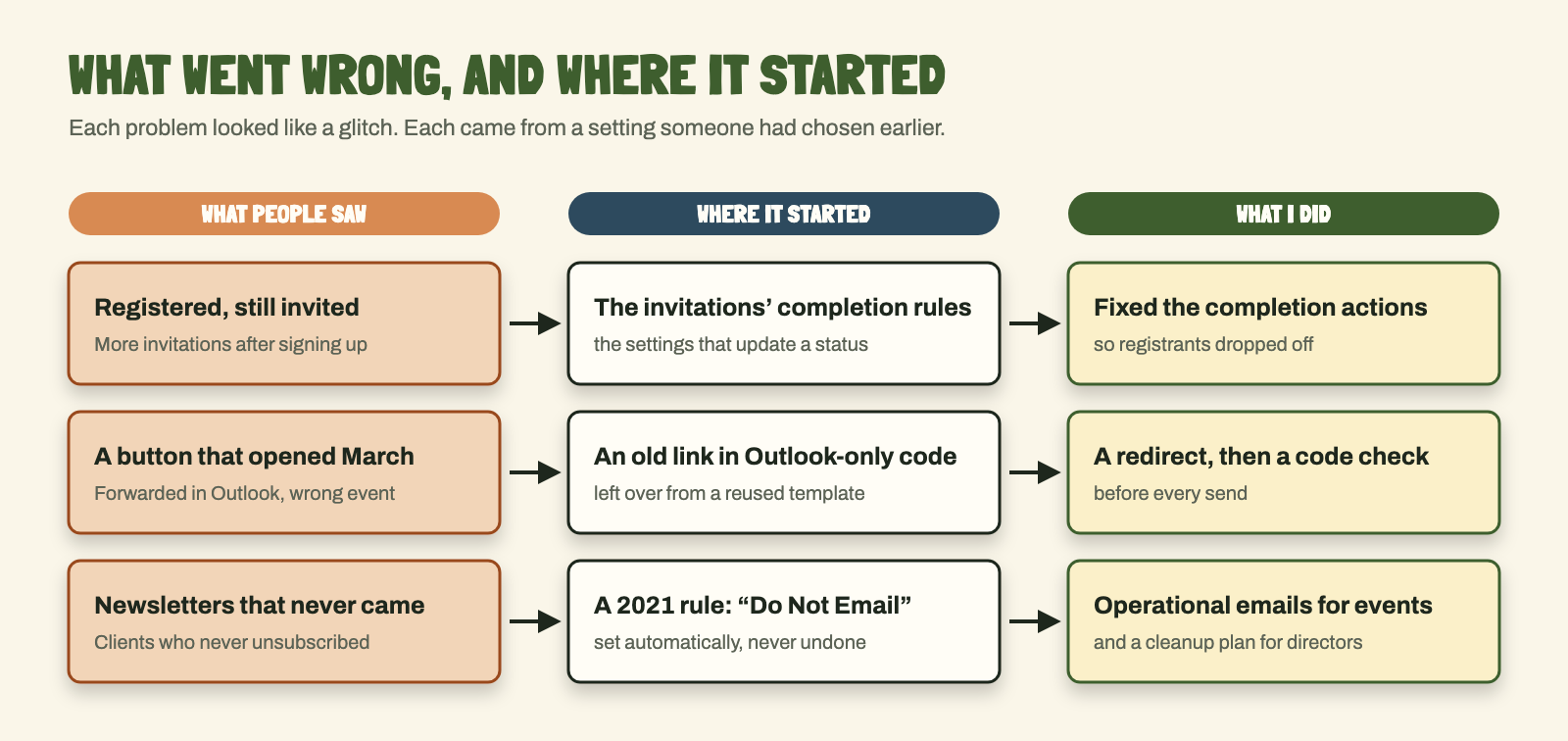
The invitation that wouldn't stop. Pardot keeps a log of every email a person gets, opens and clicks. One registrant's log showed our thank-you for registering on April 3, then two more invitations on April 11 and April 19.
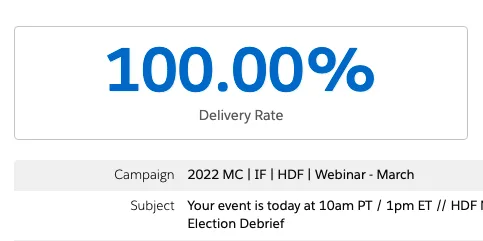
The button that opened the wrong event. In December 2022 we invited people to a briefing on the midterms. The Register button looked right in the preview, but when the email was forwarded in Outlook, it opened the page for an event from March.
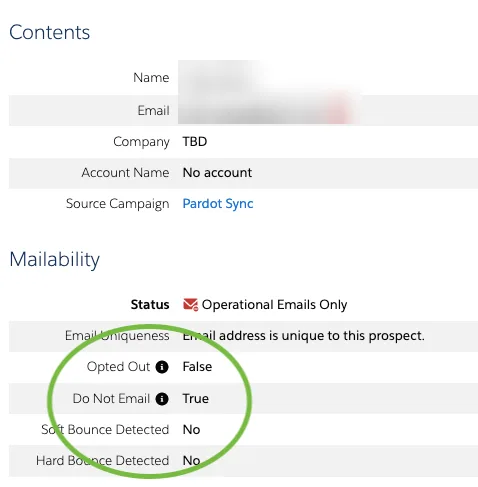
The newsletter that never came. Some clients who had never unsubscribed were marked "Do Not Email." One hadn't received a newsletter or an event invitation since 2022. Another had registered for one of our Philanthropy events, never got the confirmations, and missed it.
Each one looked like a glitch at first. Each came from a setting someone had chosen earlier, sometimes years earlier.
Following each one back to where it started
I'm not a developer, and I didn't own Pardot's back end. Our Pardot admin did. What I could do was read the records closely and ask the people involved.
START WITH THE ACTIVITY LOG
The log showed the order things happened. Our invitations used completion actions, rules that update a person's status in the event's campaign when they open or click. I traced the registrant's problem to those rules and fixed them so people who registered stopped getting invitations.
READ THE CODE, NOT JUST THE PREVIEW
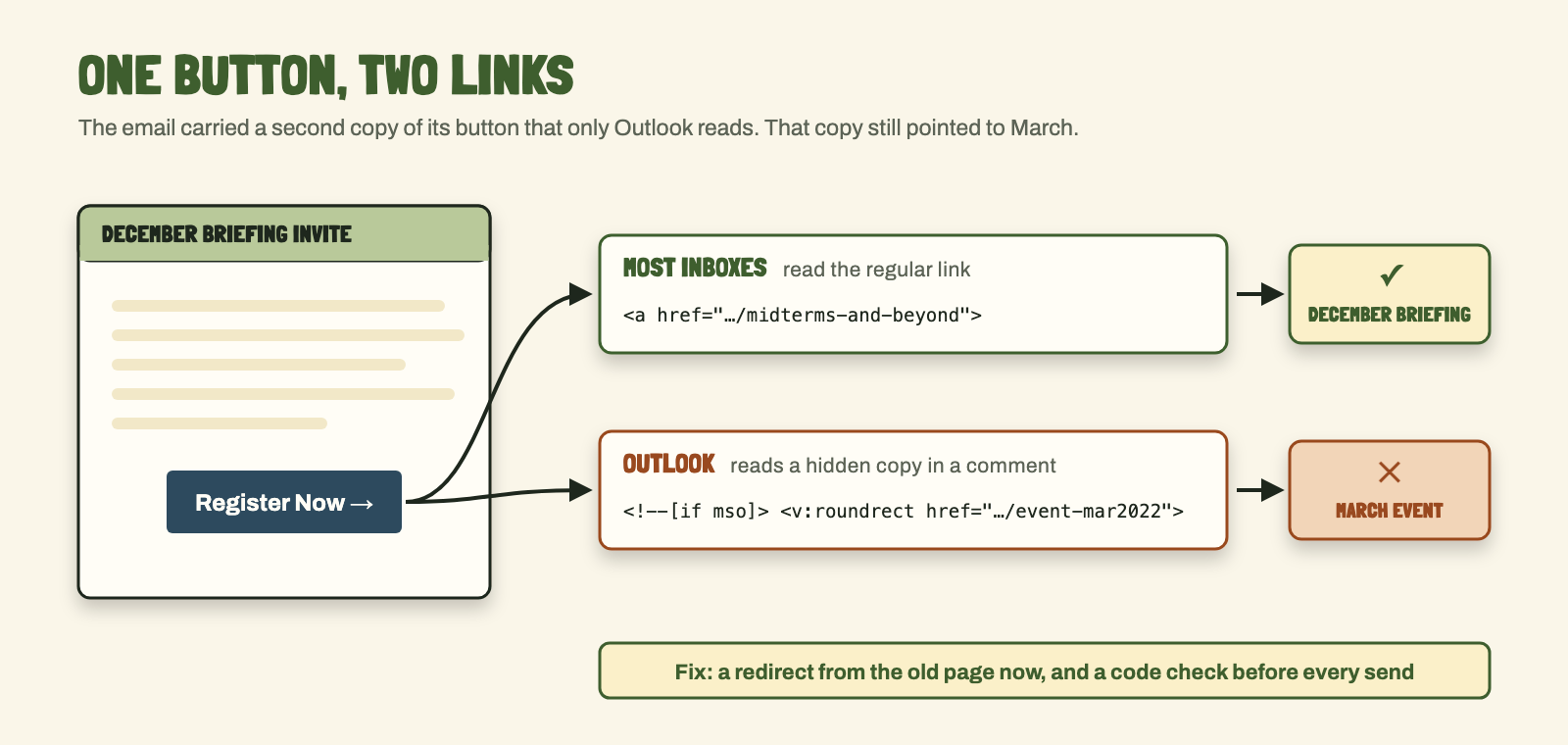
Email buttons are often built twice: once for most inboxes, and once in a hidden block that only Outlook reads. We'd built the December email from an older template, and the Outlook copy of the button still pointed to the March event. Forwarding brought that old link to the surface.
I'd seen this before. In October 2021, the Add to Calendar buttons in one of our confirmation emails broke whenever someone forwarded it in Outlook. Our designer said that's just how HTML email works in Outlook. I found code that Pardot's editor had added, fixed it, and the forwarded version worked.
The quick fix was a custom redirect, and I renamed the old page's address. The lasting fix was a code check on every email before it went out, which I agreed with a teammate and our Pardot admin.
FIX THE EVENT IN FRONT OF YOU
The first fix came before I knew the cause. Pardot can send operational emails, meant for transactional messages, which go out even to people flagged as opted out. For the December briefing, I sent event details that way, and only to contacts who hadn't unsubscribed themselves. That got the next emails out. Finding out why people were blocked took another year. In the meantime, for our spring 2023 convening, we also talked through asking the program's advisors to email those contacts themselves.
FOLLOW ONE CHECKBOX ACROSS TWO SYSTEMS
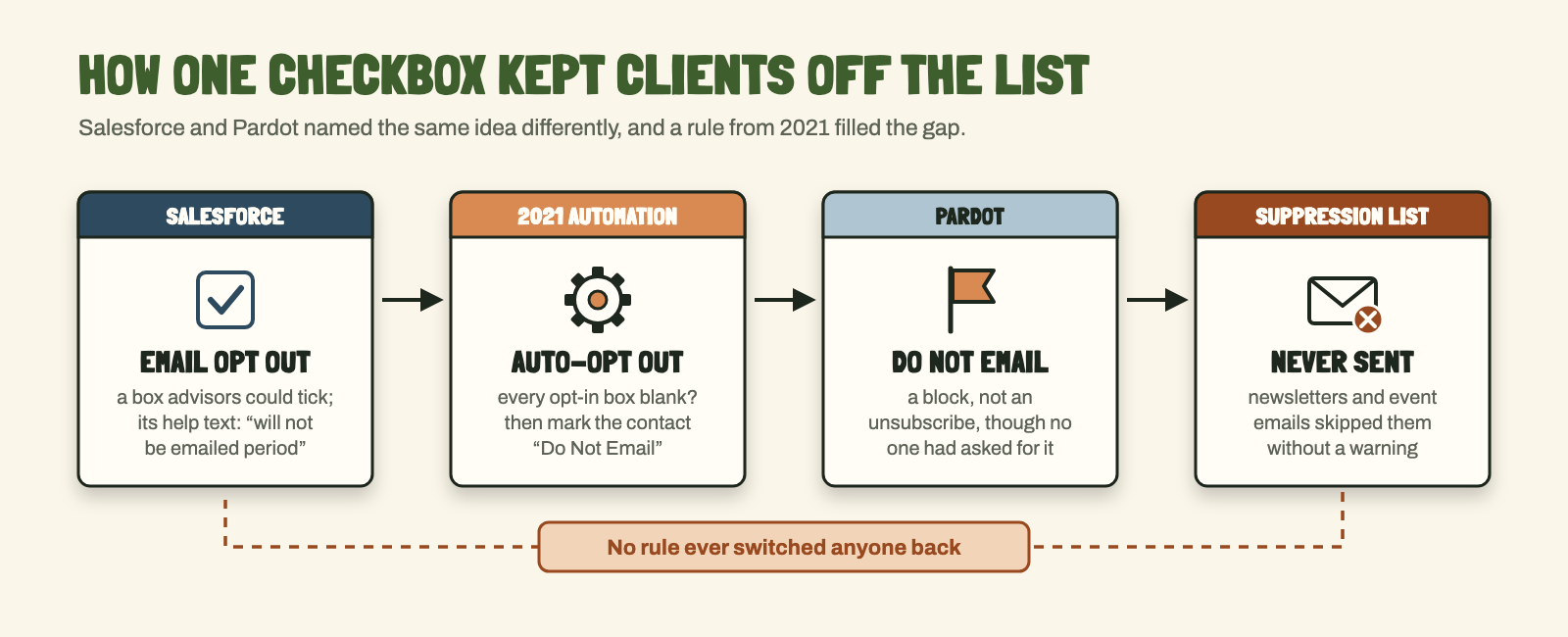
The missing newsletters took the longest. In Salesforce, advisors could tick a box called "Email Opt Out." Its help text said "Will not be emailed period," which reads like a do-not-email instruction. Pardot turned that box into its own flags, "Opted Out" and "Do Not Email," which mean different things. So when a client was blocked, it looked like someone had chosen to block them.
On top of that, an automation from 2021 marked any synced contact "Do Not Email" when all of their opt-in boxes were blank. I believe a consultant set it up when Tides moved from HubSpot to Pardot. I couldn't find any rule that switched those contacts back.
ASK THE PEOPLE WHO OWN THE RECORDS
At first we were told advisors had marked those clients "Do Not Email," so I asked them. The Philanthropy advisor behind that event confirmed they'd never marked the client who missed it. Corporate advisors on a production call said they never touch that field.
The real fix needed IT, other departments' directors and the advisors. In January 2024 I wrote it up for our digital and communications directors and our Pardot admin, with screenshots of each problem and a plan to clean up the old automations and lists.
- Get one real example: a person, an email, a date.
- Read their activity log and their record in both systems.
- Find the setting behind it: a rule, a template, a field.
- Fix what I can now, so the next send works.
- Write up the rest for the people who own it.
UNDER THE HOODThe rule, the button code and the workaround
- Completion actions: each invitation added people who opened it to the event's Salesforce campaign with the status "Opened," and people who clicked the registration link with "Clicked."
- The button: the email's HTML had a regular link to the December page and, inside an
<!--[if mso]>comment, a VML button (the version Outlook draws) still linked to the March 2022 event page. The quick fix was a custom redirect and a new address for the old page; the lasting one, a code check before each send. - The 2021 rule: if a contact came over from Salesforce with every opt-in field false (Events, General Updates, System Updates for Partners, Daring Change Newsletter, Segment-Specific Newsletters), set "Do Not Email" to true, add them to a suppression list, and set the opt-out reason to "Auto-Opt Out." I couldn't find a rule that reversed it.
- The names: Salesforce's "Email Opt Out" fed Pardot's "Opted Out" and "Do Not Email." In Pardot, "Opted Out" should mean the person unsubscribed; "Do Not Email" is an internal block.
- Operational emails: Pardot's setting for transactional sends ignores opt-out flags, so we kept it to event logistics for people who had registered or been invited and hadn't unsubscribed.
- Who held what: our Pardot admin worked the back end and filed the IT tickets; IT held Salesforce's back end.
What changed
The redirect fixed the December invitation, and checking the code became part of getting an email ready to send, at least while I was the one sending them. In April 2023, a colleague saw a different event's name in the preview of our spring invitation. I opened the code and found preview text left over from an older email, which Pardot's editor couldn't even display. Operational sends got event details to people the old rule had blocked. By mid-April 2023, with our Pardot admin working on the back end, our spring convening list was down to 10 unmailable contacts. I don't have the starting count, so I can't say how many that fixed.
The bigger cleanup was a proposal. By then our email sends had moved to another department. I stepped in because I'd run our event sends before that and knew the system. I sent the assessment as a report, and I don't know which parts of it went ahead, so I can't say it fixed the problem for good.
Looking back
None of these problems started in Pardot. They started with choices: a template reused, a rule written during a migration, a checkbox with a confusing name. Nobody wrote those choices down, so years later they looked like bugs. If I set up a system like this again, I'd write down every automation rule, what it does, who asked for it and how to undo it, right where the next person would look.